

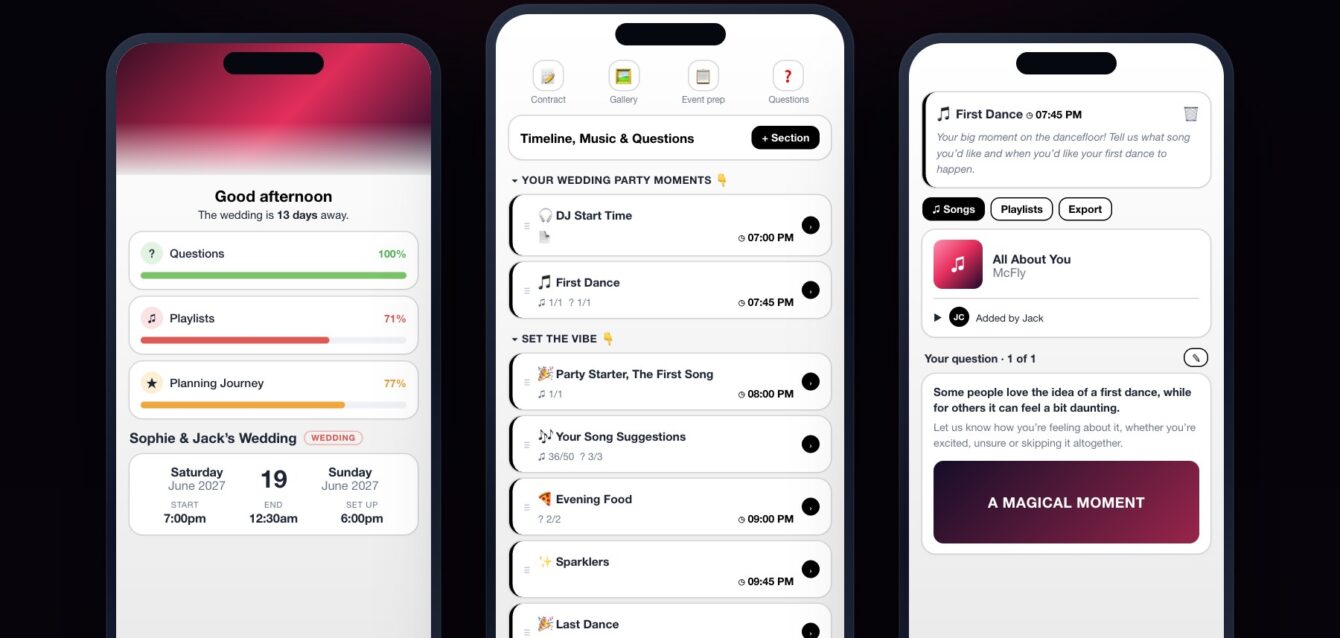
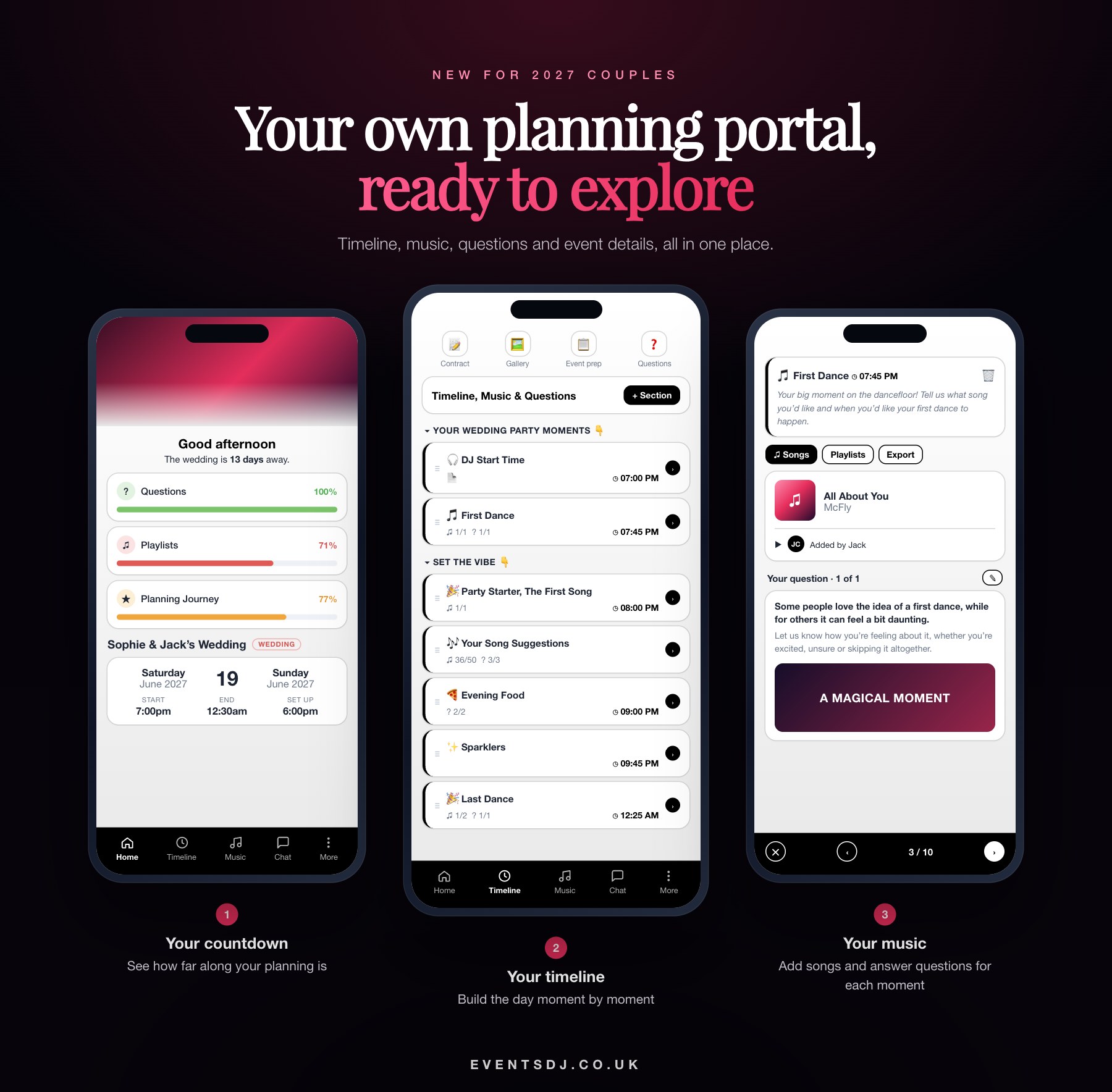
We are excited to launch something our couples have been asking for: your own wedding planning portal. Every EventsDJ booking now comes with a private online space where you can plan your music, build your timeline and keep every detail of your day in one place, on your phone, tablet or laptop, whenever it suits you.
No more long email threads, lost notes or trying to remember what you told us six months ago. Everything you plan in the portal is exactly what DJ Wayne works from on the day.
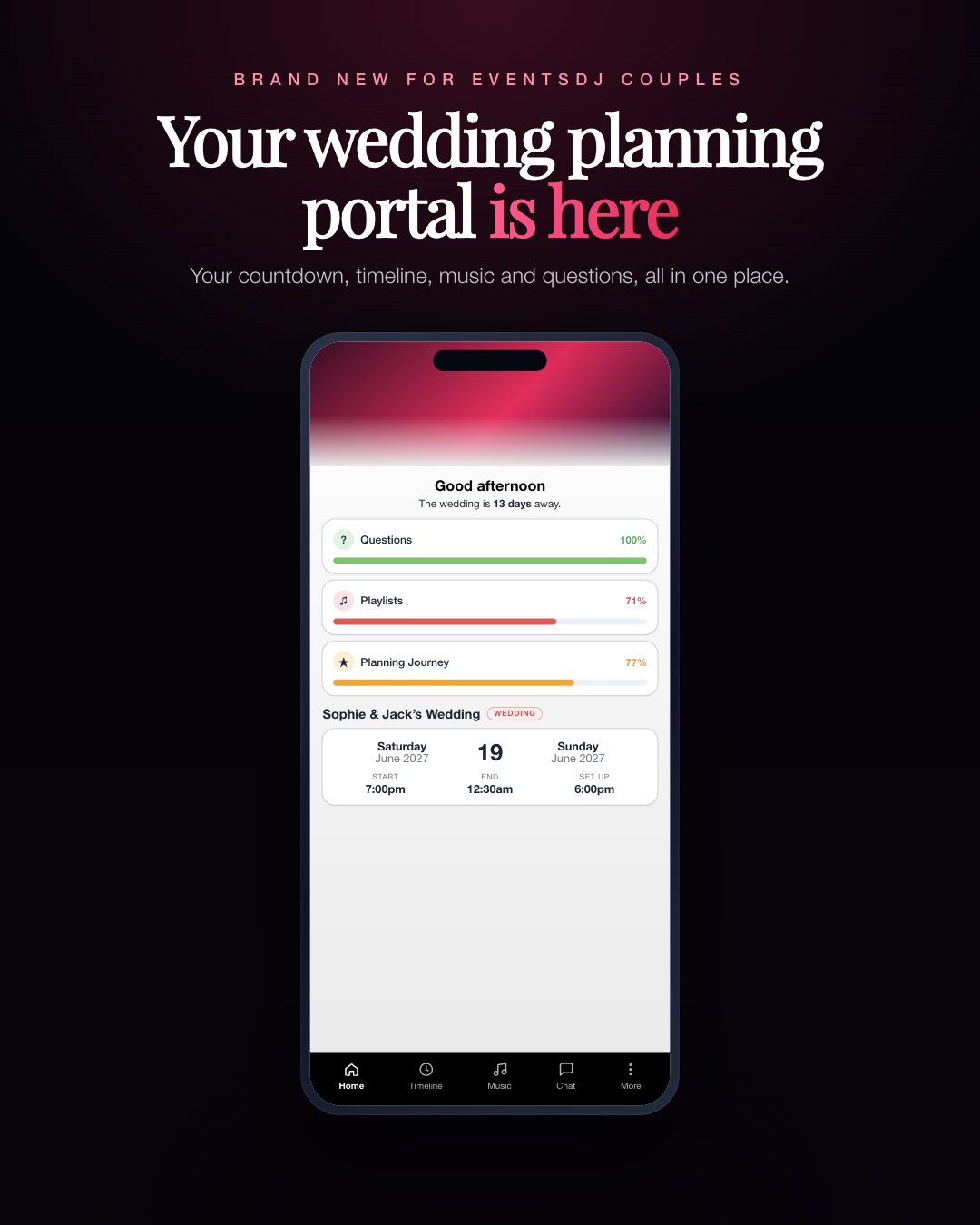
Your countdown and planning progress
The moment you log in, you will see how many days are left until your wedding, along with a simple progress bar for each part of your planning: your questions, your playlists and your planning journey. At a glance you know what is done and what is still to do, so nothing gets left to the last minute.
Your event details live here too: your date, start and finish times and set-up time, so you can check everything is right without digging through emails.
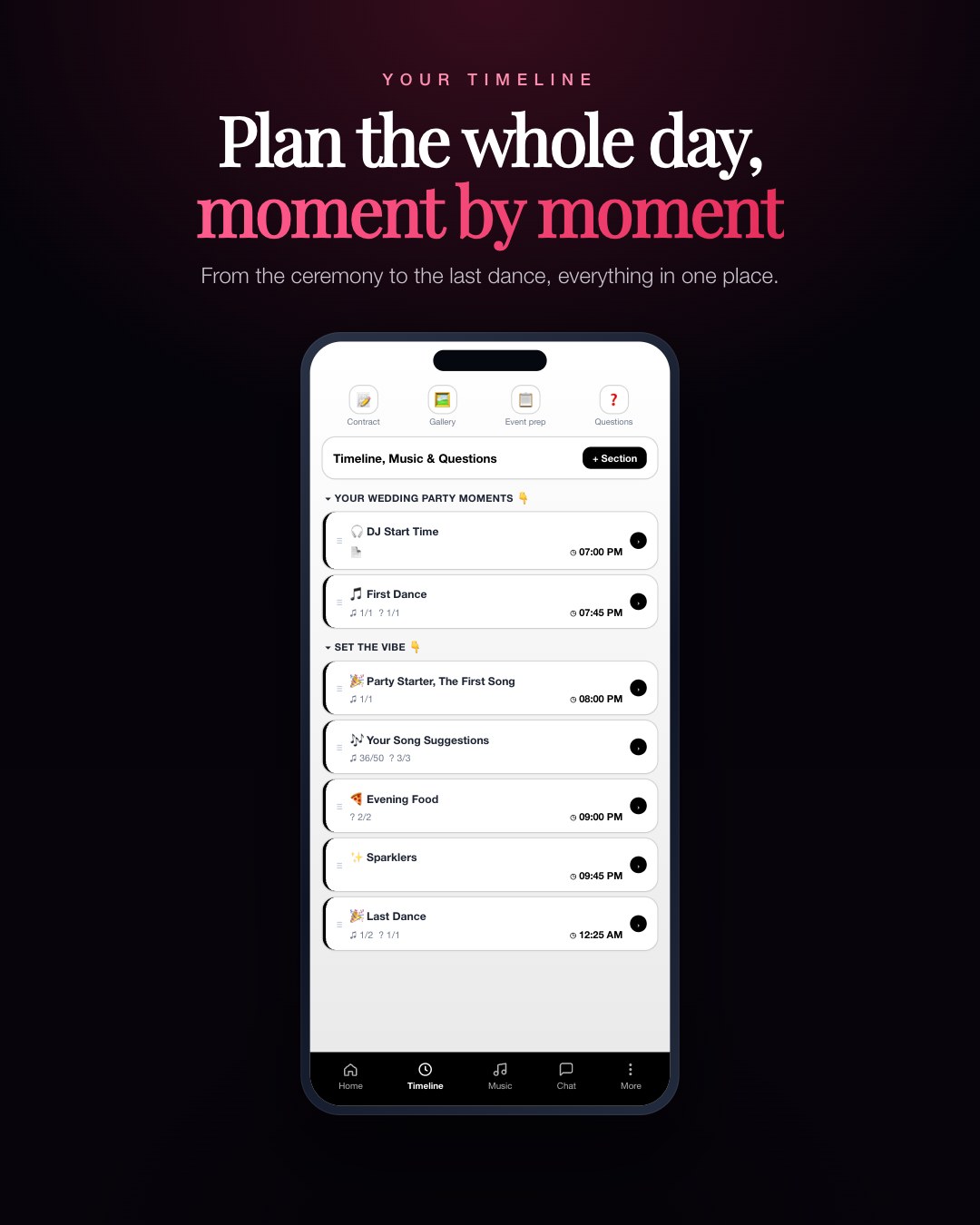
A timeline for your whole day, not just the evening
The timeline is the heart of the portal. You build your day moment by moment, drag things into the order you want and set a time against each one. It works just as well for an evening reception as it does for a full day with our All Day Wedding Host package.
For an evening package, that might be your DJ start time, grand entrance, first dance, party starter, evening food, sparklers and last dance. For an all-day booking, you can map out everything from the ceremony and drinks reception through to the wedding breakfast, speeches, cake cutting and the party.
Because you can add your own sections, the timeline is not only for music. Many couples use it to plan other parts of the day too:
- Photographs: mark when group shots, couple portraits and golden hour photos happen.
- Food and drink: note when canapés, the wedding breakfast and evening food are served.
- Special moments: speeches, cake cutting, sparkler send-offs or a surprise performance.
- Suppliers: keep track of when your photographer, florist or photo booth arrive and set up.
Having one timeline means everyone works from the same plan, and you are not juggling separate schedules in different places.
Your music, moment by moment
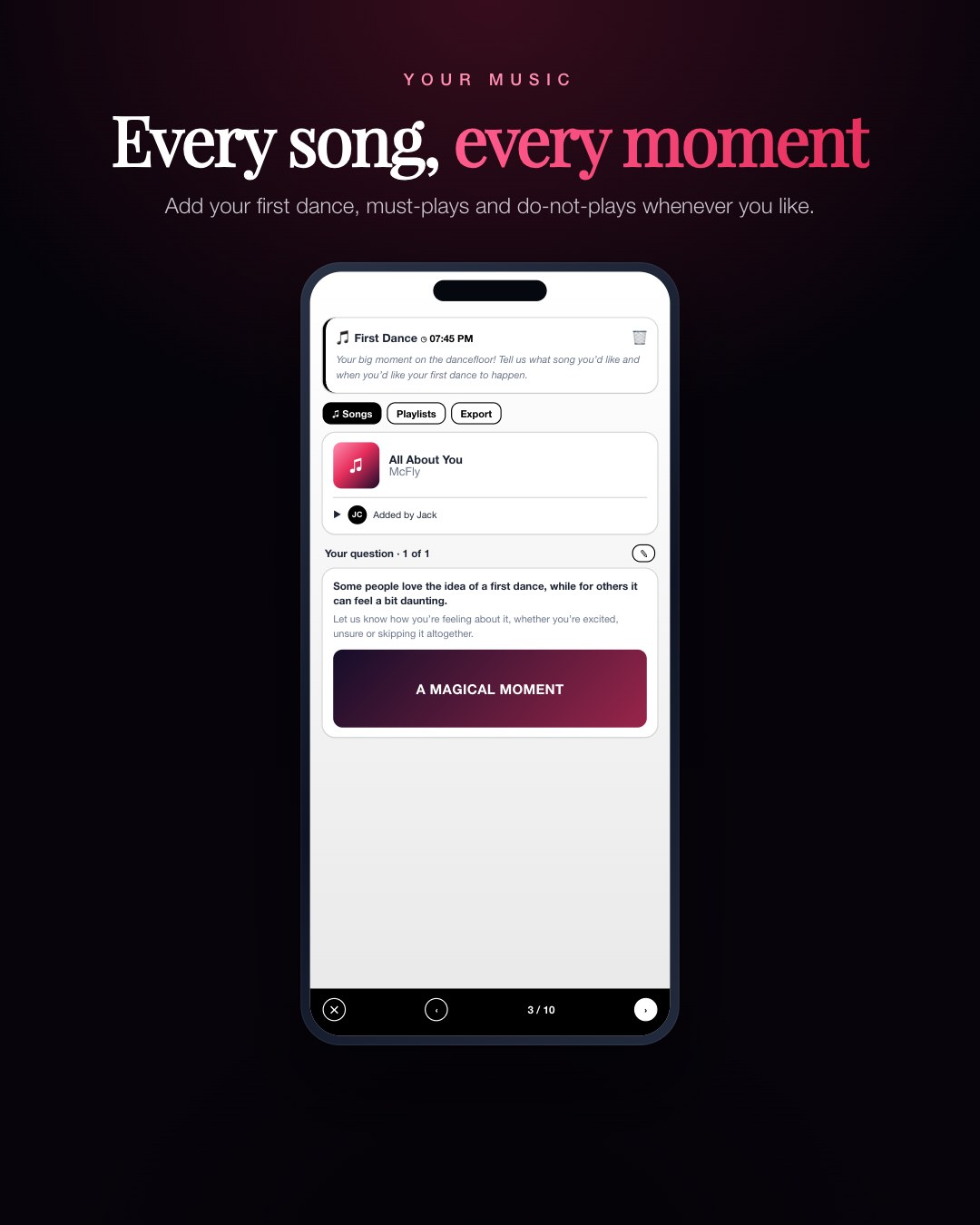
Every moment on your timeline can have its own songs. Choose your entrance song, your first dance, your cake cutting track and your last song of the night, then add your must-play list and the songs you never want to hear. Both of you can add songs, and the portal shows who added what, so there are no surprises.
Each moment also comes with a few simple questions, such as how you feel about your first dance or whether you want us to invite guests to join you on the dancefloor. Your answers help us get the tone of every moment right.
Everything else in one place
- Your contract and booking details, ready to check at any time.
- Event preparation, with the practical details we need for your venue.
- Chat, so you can message us from inside the portal.
- Extras that appear when you book them: if you add cold spark fountains, uplighting or a photo booth from our sister company Selfie Star, their own planning sections appear in your portal automatically.
How it works with your final planning call
You can update your portal as often as you like right up until five days before your wedding. At that point we lock the plan so we can prepare your music and timings properly. Before then, DJ Wayne will go through everything with you on your final planning call, so you know exactly how your day will run.
Who gets the portal?
Every couple who books an EventsDJ wedding package gets their own portal, whether that is our Evening Package, the Platinum Package or the All Day Wedding Host. If you have already booked with us, look out for your login details in your inbox. If you are still choosing your wedding DJ, you will see the portal in your proposal so you can have a look around before you book.
Want to see it for yourself? Get in touch with your date and venue, browse our wedding DJ packages, or find your venue in our wedding venue directory.